Your credit-card balance,
on the Lock Screen.
Runtab puts what you owe right now, posted charges plus pending authorizations, where you already look: the iPhone Lock Screen, the Home Screen, and the Mac menu bar. Nothing to categorize, no budget to maintain, no app to remember to open. Just the number, before you spend.
If you recognize any of this, keep reading.
- You know roughly what you spend every month. You just don't track it day-to-day.
- You only log into your bank when something forces you to: statement day, travel, a suspicious charge.
- Every month the statement lands a little higher than you expected. You pay it and move on.
- You've tried YNAB, Monarch, maybe Mint back in the day. They demanded a ritual you didn't have time for, so you quit.
This app was built for that specific person. Me.
Three things it does differently.
Always visible. Never in an app.
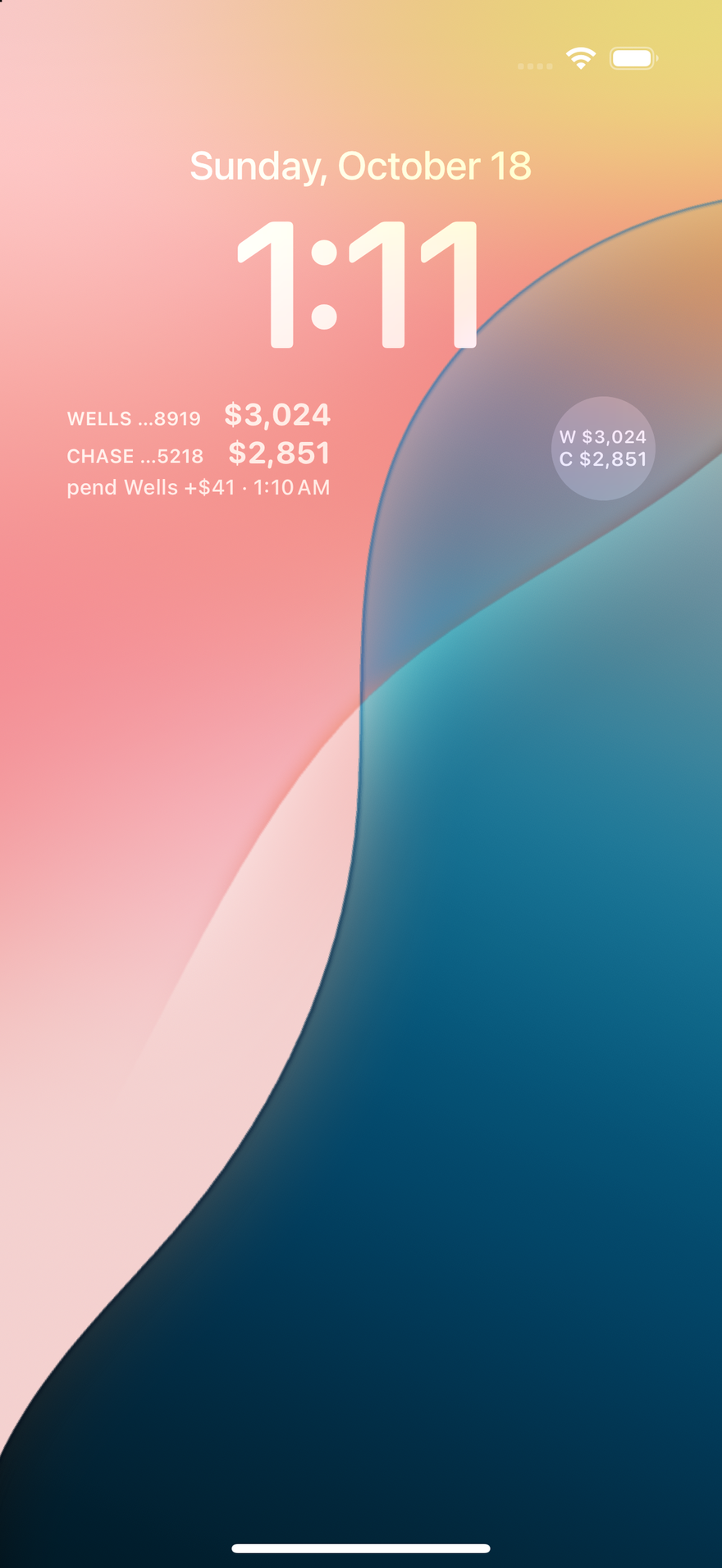
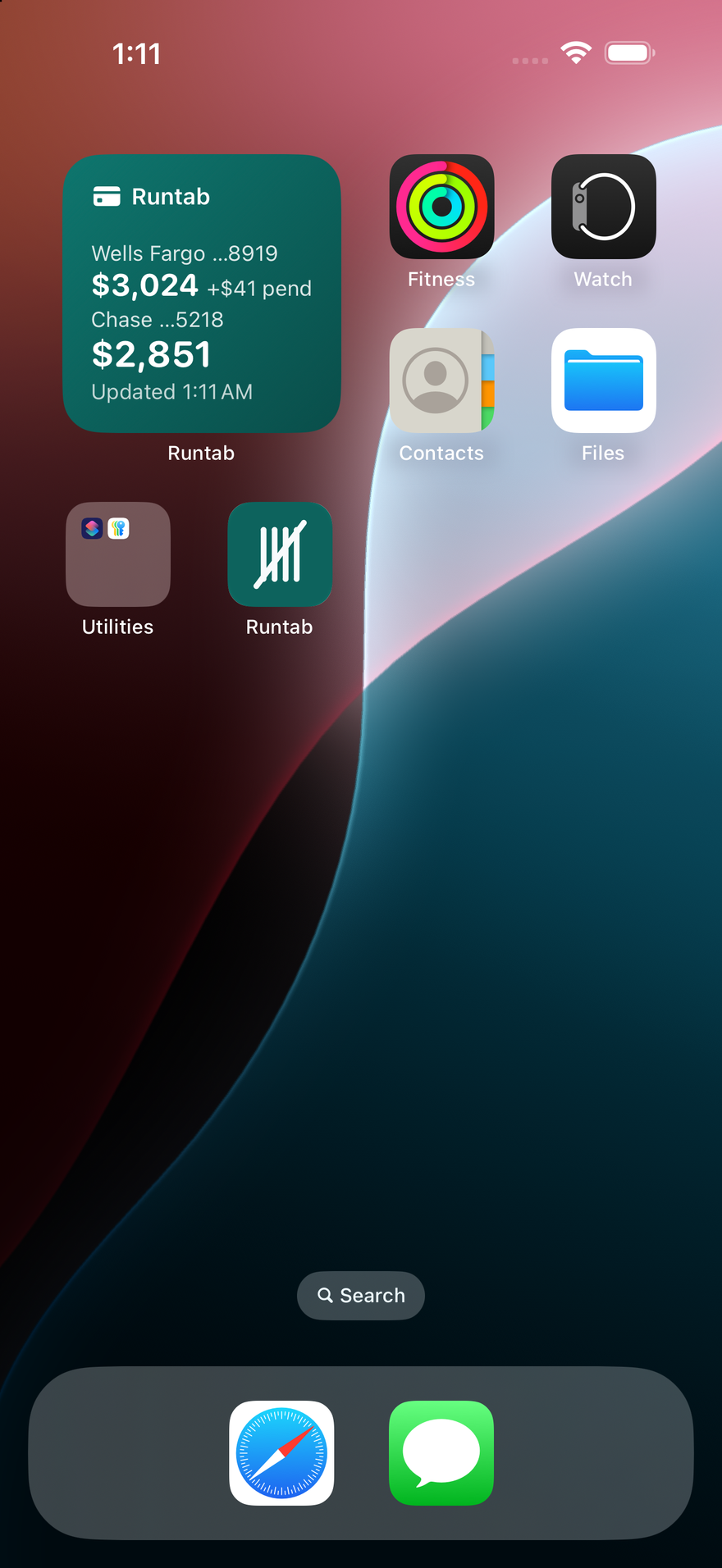
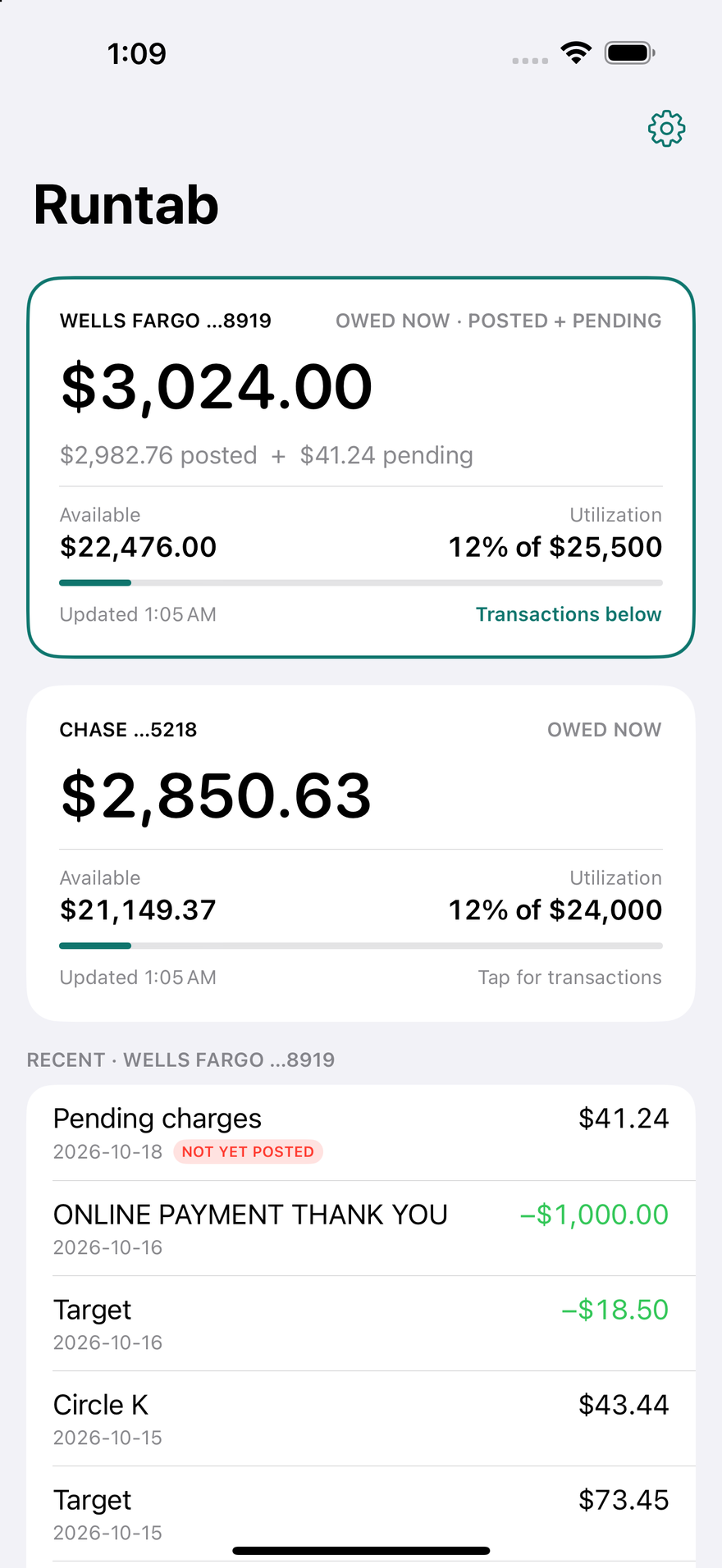
The balance sits on your Lock Screen, your Home Screen, and in the Mac menu bar next to the clock. Several cards? Each one stands on its own: its own number, its own pending, its own transactions. Nothing is added together. You see it whenever you glance at the phone, which is exactly when you can still do something about it.
Posted plus pending, in one number per card.
Banks show the posted balance and hide the authorizations that haven't cleared yet. Runtab adds them back from your available credit, so the number you see is the number you'll owe, not the number from three days ago.
Receipts against your bank.
Every day Runtab freezes a snapshot of what your bank said you owed. Past days never change. If a balance moves in a direction you can't explain, compare today to any day in the last 90 on runtab.io or in the Mac app.
Five widgets. Pick the spot you look at most.
On the Lock Screen: the inline line above the clock, the circular gauge, and the rectangular card with posted, pending and available. On the Home Screen: small and medium. Widgets refresh themselves about every 30 minutes; the app refreshes when you open it, or pull down.
Add them the normal way: touch and hold the Lock Screen → Customize → tap the widget area → Runtab. iOS 17 or later.
On the Mac too.
Same account, same number. Runtab for Mac sits in the menu bar; click it for the breakdown and the last 20 transactions, press ⌘⇧R for the full ledger with running balances and the daily snapshots.

Connecting a credit card requires trust. Here's exactly what that connection can and can't do.
Read-only. There is no write path.
Runtab's Plaid connection can read balances and transactions; that's the entire permission. It cannot move money, make payments, open accounts, or change anything at your bank. Not "we promise not to": the connection type doesn't support it.
Your bank login never touches Runtab.
You sign in through Plaid, usually on your bank's own site, the same rails Venmo and Robinhood use. Your credentials go to your bank, never to us.
We never have your card number.
Plaid shares only the last four digits with Runtab. Full card numbers never reach our systems. Your subscription card is handled entirely by Stripe.
What we do store, plainly.
Your email, your balances and transaction history. They power the widget, the ledger and the daily snapshots, live on private self-hosted infrastructure, and are visible only to your account. Never sold, never shared, no analytics vendors, no ads.
Leave completely, any time.
Settings → Delete account in the iPhone app, or on your account page: the bank is disconnected at Plaid, your data is erased, any subscription is canceled and your sign-in removed, immediately. You can also revoke Runtab yourself at my.plaid.com.
The fine print, in plain language: privacy policy.
Price
$5/month after a 14-day free trial with one card, cancel anytime. Your bank sends new balances only 1 to 4 times a day; Plus ($15/month) checks your cards 3 more times a day and Pro ($30/month) 6 more. The subscription lets you link more cards, and one subscription covers iPhone and Mac. iPhone needs iOS 17 or later; Mac needs macOS 14 or later on Apple silicon.
No ads, no upsells. One person built this, one person maintains it, and it charges for itself to stay that way.
A note from the person who built this.
I build software for a living. For most of my career I've had a specific rhythm with credit cards: spend reflexively, ignore the statements, pay the balance off in one chunk when something forces me to look. Not a crisis, just not optimal. It was taking mental bandwidth I wanted back for actual work.
I tried the big personal-finance apps. They want a daily or weekly ritual: categorize these transactions, adjust these envelopes, reconcile these accounts. I don't have that ritual in me. I have engineering deadlines.
So I built Runtab to stop thinking about my credit card while still knowing what I owed. The number lives on my Lock Screen and at the top of my Mac whether I want it to or not. I'm not surprised anymore.
— Dean
Get the app
Runtab for iPhone on the App Store · Runtab for Mac. Reading this on a work machine? Drop your email and I'll send you the links.
Frequent questions
- Why not free?
- Your data lives on real infrastructure that costs money, and connecting to your bank via Plaid costs money per month. This is a one-person operation with no ads, no data sharing, and no investors; the subscription is what keeps it that way.
- Which devices?
- iPhone (iOS 17 or later) and Mac (macOS 14 or later, Apple silicon). One account, one subscription, the same number on both. Android and Windows aren't planned.
- Does the widget drain the battery?
- No. It asks the server for the balance about every 30 minutes, a few kilobytes each time, and iOS schedules it with everything else.
- What if my bank's data is wrong on a given day?
- You'll see the discrepancy in the ledger and have a frozen snapshot of what the bank said the day before. That's most of the point.
- What happens when my bank's sign-in expires?
- You get a "reconnect" banner in the app and in the menu bar. One tap, 30 seconds of credentials, you're back. Runtab also detects when your bank is having an outage and says so instead of silently showing stale numbers.
- Who is this for?
- Someone who earns more than they track and wants to keep it that way without ending up surprised. One card on the trial; with the subscription, every card you carry, each with its own number and its own list. Shared accounts come later.